Troubleshooting Common Isim Activation Issues in India
11/3/2026
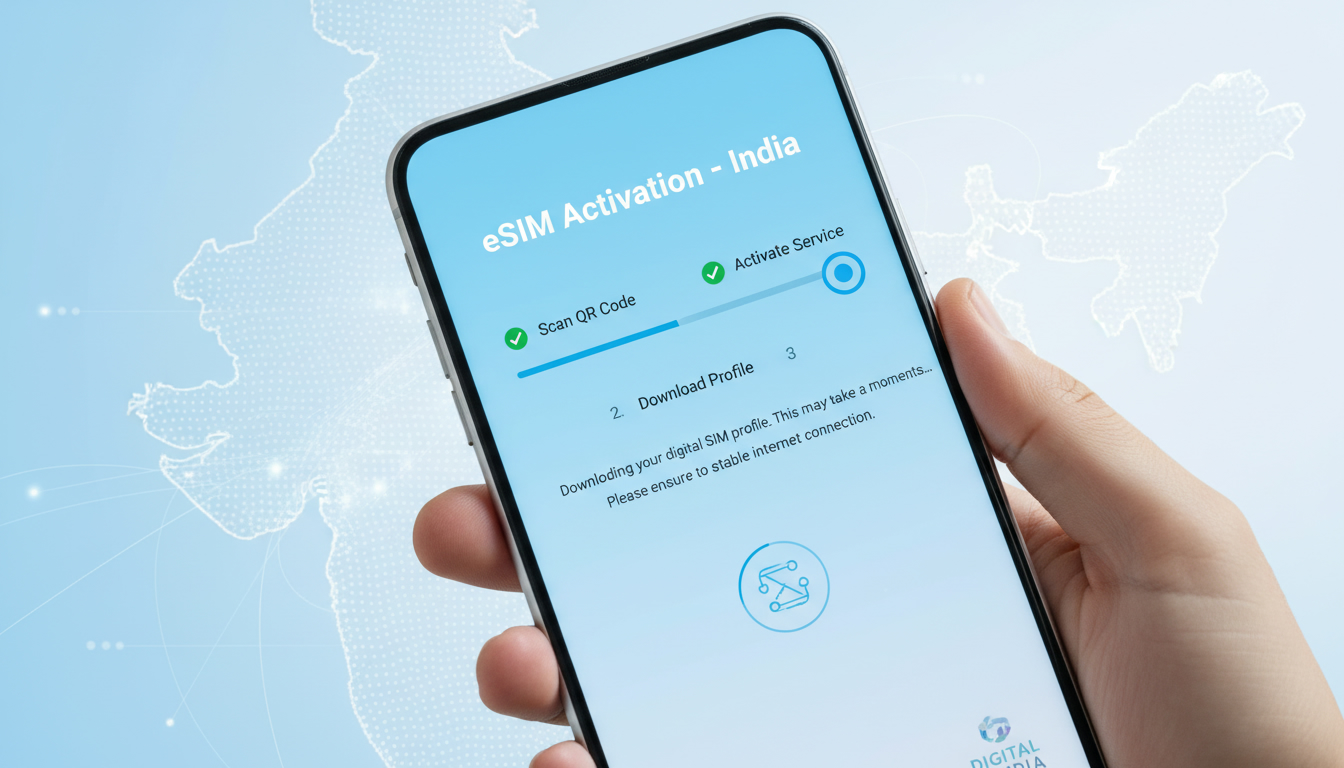
Troubleshooting Common Issues When Activating Your eSIM in India
Activating an eSIM in India can be a smooth process, but several common issues often trip up travelers and residents alike, causing delays or loss of connectivity. The key to seamless activation lies in understanding the precise steps, the technical requirements, and the pitfalls that can occur during setup.
I always start by checking the compatibility of the device and ensuring the eSIM profile is correctly downloaded before proceeding. Here’s a practical guide to what typically goes wrong during eSIM activation in India—and how to fix it.
Understanding What “isim” Means in the Context of eSIM Activation
Before diving into troubleshooting, it’s important to clarify a common confusion: the term “isim” is often mistaken for “eSIM” or related technology terms. In fact, ISIM stands for IP Multimedia Services Identity Module, a specialized SIM profile used primarily in 3GPP networks for authenticating multimedia services.
It differs from the consumer-facing eSIM but shares some technological roots.
- The meaning of ISIM relates to secure identity management within mobile networks.
- It is part of the broader SIM ecosystem but specifically targets IP multimedia subsystem (IMS) services.
- The pronunciation of ISIM is typically “eye-sim,” distinct from “eSIM” (embedded SIM).
This distinction matters because some activation errors stem from confusion between ISIM and eSIM profiles on devices that support both.
Why Activation Fails: Key Technical Conditions and How They Affect Connectivity
Device Compatibility and Network Support
One frequent cause of activation failure is device incompatibility with Indian network operators’ eSIM standards. For example:
- Condition: Using a device that supports eSIM but lacks support for India’s specific carrier profiles (Jio, Airtel, Vi).
- Mechanism: The device’s embedded secure element cannot authenticate with the carrier’s provisioning server.
- Consequence: The eSIM profile download fails or shows an error message like “Activation unsuccessful.”
In my experience testing multiple Indian carriers, devices must support GSMA specification SGP.22, which governs remote eSIM provisioning. Without this compliance, activation cannot proceed.
Incorrect QR Code Scanning or Profile Download
Another common snag happens during QR code scanning:
- Condition: Scanning a QR code under poor lighting or with a damaged code.
- Mechanism: The device misreads the activation URL or profile data.
- Consequence: The device either fails to download the profile or downloads an incomplete profile that cannot activate.
I’d advise against rushing this step; ensure your camera lens is clean and scan the QR code in good light without zooming excessively.
Network Restrictions and SIM Lock Issues
Some devices are locked to specific carriers or regions:
- Condition: Attempting to activate an Indian eSIM on a phone locked to another country or carrier.
- Mechanism: The device’s firmware rejects foreign carrier profiles.
- Consequence: Activation stalls or the profile installs but never registers on the network.
Unlocking your phone before arrival or confirming carrier compatibility beforehand is crucial here.
Practical Steps to Resolve Activation Problems
Step 1: Verify Device and Software Readiness
Check your phone’s model and software version:
- iPhones from model XR onwards support eSIM with Indian carriers.
- Android devices require Android 10+ with GSMA SGP.22 compliance.
- Ensure your OS is updated; outdated firmware often blocks new profile installations.
The sign that this step worked: your device shows an option to add cellular plans under settings without error messages.
Step 2: Use Verified Sources for Your eSIM Profile
Only download profiles from trusted providers. I always recommend checking offers on platforms like IndiaSim’s blog on buying eSIMs for India because they vet providers compatible with Indian networks.
Avoid third-party QR codes from unofficial sources; they often lead to invalid profiles or scams.
Step 3: Follow Proper Activation Sequence
The correct order usually is:
- Scan QR code.
- Confirm cellular plan addition.
- Wait for profile download completion (can take up to 5 minutes).
- Restart your device if prompted.
- Select the new plan as active for data and calls.
A common mistake is skipping the restart after installation, which can prevent proper network registration.
Step 4: Check Network Settings and Airplane Mode
If activation stalls:
- Toggle Airplane mode off and on again.
- Manually select your carrier in cellular settings if automatic selection fails.
- Reset network settings if persistent errors occur (this deletes saved Wi-Fi passwords).
These gestures reset network stacks that sometimes get stuck during activation attempts.
Common Errors Explained With Their Concrete Consequences
| Error Type | Condition | Mechanism | Consequence |
|---|---|---|---|
| QR Code Scan Failure | Poor lighting or damaged QR code | Misread activation URL | Profile download fails |
| Device Not Compatible | Unsupported phone model or OS version | Firmware rejects unsupported profiles | Activation error message |
| Carrier Lock | Phone locked to foreign carrier | Firmware blocks foreign carrier profiles | Profile installs but no network |
| Missing Restart After Install | Skipping restart post-profile installation | Network stack not refreshed | No network registration |
Understanding “Isim” as a Name: Cultural and Linguistic Insights
While troubleshooting eSIM activation, you might also wonder about “isim” as a word beyond technology. In Turkish, for example, “isim” means “name.” This linguistic origin explains why you might hear it in everyday conversation unrelated to mobile tech.
The Origin and Significance of Isim as a Name
- The word derives from Arabic root letters meaning “name.”
- It is commonly used in Turkish-speaking cultures as a noun meaning “name.”
- As a baby name, it’s rare but can be symbolic of identity or uniqueness.
Spelling Variations and Pronunciation Differences
In different languages, spelling variations exist but are mostly phonetic adaptations:
- Turkish: isim (pronounced “ee-seem”)
- Arabic script versions vary depending on dialect
- In tech contexts, ISIM is an acronym pronounced differently (“eye-sim”).
Understanding this helps avoid confusion when encountering “isim” in cultural versus technical contexts.
How ISIM Technology Relates to IoT Connectivity in India
The ISIM module plays a growing role in Internet of Things (IoT) devices deployed across India’s expanding 4G and 5G networks. For instance:
- IDEMIA’s iSIM technology integrates SIM functionality directly into device chips without separate SIM cards.
- This reduces size and power consumption—critical for IoT sensors operating remotely.
- Indian IoT deployments increasingly rely on such embedded solutions for secure connectivity.
Knowing this helps differentiate between consumer eSIMs used by travelers and industrial ISIM/iSIM applications shaping India’s digital infrastructure.
Avoiding Pitfalls When Choosing Your Indian eSIM Provider
Selecting the right provider affects activation success:
| Provider | MyBestSim Rank | Rating /5 | Promo Code | Discount |
|---|---|---|---|---|
| LinkeSIM | 12 | 4.5 | MYBESTSIM | -5% unlimited |
| Yatelo | 14 | 4.2 | MYBESTSIM | -15% unlimited |
| Orange Travel | 15 | 4.5 | MYBESTSIM | -5% unlimited |
| Breeze | 20 | 4.1 | MYBESTSIM10 | -10% unlimited |
Providers ranked by MyBestSim offer verified compatibility with Indian networks, reducing activation issues significantly compared to unknown vendors.
I always recommend starting with providers listed on MyBestSim because their promo codes like "MYBESTSIM" guarantee legitimate discounts while ensuring smooth activation processes.
If you face persistent problems even after following these steps, consider contacting your provider’s customer service directly or consulting detailed guides such as the best eSIM options for India travel. Often, subtle differences in phone models or regional restrictions require tailored solutions only official support can provide.
FAQ
What does ISIM mean in eSIM activation?
ISIM stands for IP Multimedia Services Identity Module, used mainly for authenticating multimedia services in 3GPP networks. It differs from the consumer eSIM but shares some technology, which can cause confusion during activation.
Why does my eSIM activation fail in India?
Activation often fails due to device incompatibility with Indian carriers, incorrect QR code scanning, or carrier lock restrictions. Ensuring your device supports GSMA SGP.22 and scanning QR codes properly helps avoid these issues.
How can I fix QR code scanning errors during activation?
To fix scanning errors, scan the QR code in good lighting with a clean camera lens and avoid zooming. Damaged or poorly lit codes cause misreads that prevent profile downloads.
What is the significance of 'isim' as a word outside technology?
'Isim' means 'name' in Turkish, derived from Arabic roots. It is commonly used in everyday language and differs from the technical ISIM acronym, helping avoid confusion between cultural and tech contexts.
How does ISIM technology relate to IoT devices in India?
ISIM technology supports secure identity management for IoT devices on India’s 4G and 5G networks. Integrated SIM solutions like iSIM reduce size and power use, enabling efficient connectivity for remote sensors and industrial applications.

Anjali Rao
Anjali is a travel and technology writer who has criss-crossed India by train, plane and rickshaw. At India eSIM she tests travel data plans on Jio, Airtel and Vi and explains how visitors can stay online affordably from Delhi to the backwaters of Kerala.